THE PLAYBOOK · JYYJHG
An introduction to playing Dots and Boxes
Take a moment with Dots and Boxes before moving to another game. Claim the most boxes when all nine boxes are complete. Check the relevant rule before repeating a move. Compare the starting position with the example in the Guide. Use the example below to understand a decision.
Give this approach a try
After a move, check what changed. Decide which rule explains the new state before acting again. Make the next step deliberately.
Understand the aim
Claim the most boxes when all nine boxes are complete. Use the instructions to see which actions move you towards it. The example below illustrates a decision.
Making your moves
- Select an unfilled edge between adjacent dots.
- Take turns while no box is completed.
- Completing one or two boxes in a move earns another turn.
- Once the board is full, compare the box totals.
How to use the controls
Use the on-screen controls with a mouse or touch. On a smaller screen, keep the active part of the board within view. Contact us with the game and device if a control does not respond.
Try this example
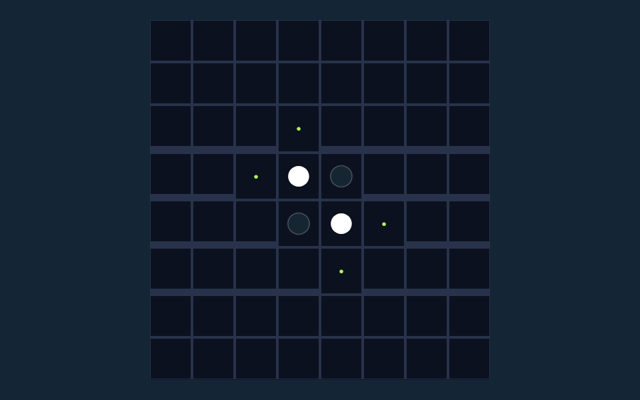
Drawing the fourth edge of a small square claims that box. Keep your turn after closing a box; otherwise the other player moves next. Focus on why the action is allowed, not only its outcome. Read the matching step again.
A useful caution
Closing a box does not end your turn; you must draw again. Compare the situation with the worked example. Take enough time to read a new position. If a game has a timer, learn its controls first rather than searching for them during the round.
Questions that come up during play
What is the goal of Dots and Boxes?
For clarity: Claim the most boxes when all nine boxes are complete.
For my first round, how do I control Dots and Boxes?
For clarity: Use the on-screen controls with a mouse or touch.
What example helps explain Dots and Boxes?
For clarity: An edge shared by two nearly complete boxes can capture both boxes in one move.
For my first round, what should I watch out for in Dots and Boxes?
Here is the relevant explanation: Closing a box does not end your turn; you must draw again.
On this playing page, what format does Dots and Boxes offer?
For clarity: Play using the same-device two players mode shown on this page. Read the controls before starting a new round.
For this browser game, which play mode does Dots and Boxes use?
The key detail is this: The mode on this page is Same-device two players. Same-device play uses one screen; this game library does not provide internet matchmaking.