THE PLAYBOOK · JYYJHG
Jigsaw Sudoku: from controls to your first round
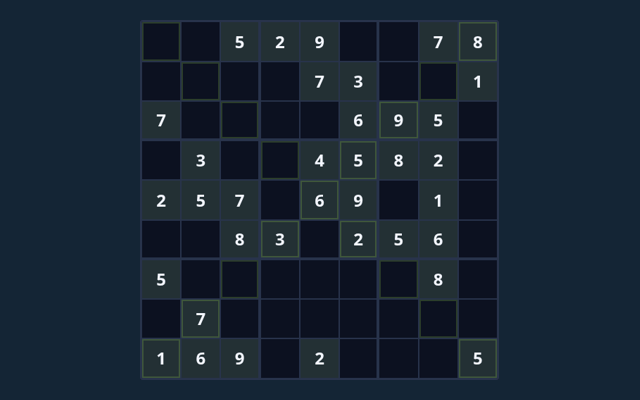
Start Jigsaw Sudoku by looking at the playing area and its controls. Fill each row, column and irregular coloured nine-cell region with 1–9 once. Use the example below to understand a decision. Treat the first round as a chance to learn the controls. Use the example below to understand a decision.
This collection contains 6 puzzles. Progress is saved in this browser. The same puzzle can appear again; the collection is not labelled with calibrated difficulty levels.
Bring this focus to a round
Locate the buttons and input area before beginning a long round. Use the on-screen labels to avoid an accidental restart. Make the next step deliberately.
Aim for this result
Fill each row, column and irregular coloured nine-cell region with 1–9 once. The feedback beside the game helps you follow the round. Review the board or playing area as it changes.
How a round unfolds
- Select an editable cell.
- Enter a value using the keypad or keyboard; Notes stores candidates.
- Read the region, cage, arrow or outside clues alongside the normal constraints.
- Check entries verifies the completed board; Undo reverses your last input.
- New puzzle selects another included puzzle.
How to use the controls
Click or tap cells and the digit pad. Use Notes, Undo and Reveal selected. Large boards scroll inside the game. On a smaller screen, keep the active part of the board within view. Use one clear input at a time.
See how the rules apply
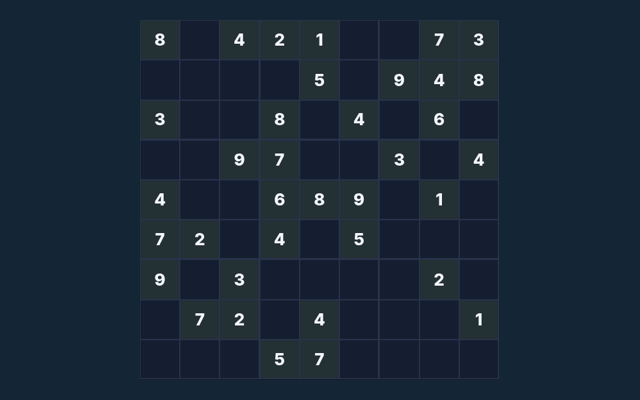
The coloured region, not a conventional 3×3 box, defines the third no-repeat constraint. Focus on why the action is allowed, not only its outcome. Take a moment to compare.
Watch out for this
A full board must obey every extra rule. Reveal supplies assistance; it is not an earned deduction. Check the rule before repeating the action. Compare the worked example with your own position. Use the reasoning, not an answer copied from a different board.
Further help with the game
As a new player, what is the goal of Jigsaw Sudoku?
For clarity: Fill each row, column and irregular coloured nine-cell region with 1–9 once.
When I return, how do I control Jigsaw Sudoku?
The key detail is this: Click or tap cells and the digit pad. Use Notes, Undo and Reveal selected. Large boards scroll inside the game.
For this browser game, what example helps explain Jigsaw Sudoku?
The coloured region, not a conventional 3×3 box, defines the third no-repeat constraint.
As a new player, what should I watch out for in Jigsaw Sudoku?
Keep this in mind: A full board must obey every extra rule. Reveal supplies assistance; it is not an earned deduction.
As a new player, what format does Jigsaw Sudoku offer?
This collection contains 6 puzzles. Progress is saved in this browser. The same puzzle can appear again; the collection is not labelled with calibrated difficulty levels.
On this playing page, which play mode does Jigsaw Sudoku use?
The mode on this page is Solo. Same-device play uses one screen; this game library does not provide internet matchmaking.